> ## Documentation Index
> Fetch the complete documentation index at: https://docs.aippy.ai/llms.txt
> Use this file to discover all available pages before exploring further.
# Quickstart
> Create and launch your first AI-powered web app in minutes
## Create your first app
Build your project from natural language — no setup, no boilerplate.
Start by telling Aippy what you want to build — in your own language.\
Use action-oriented prompts like:
* “A landing page for an AI writing tool”
* “A personal portfolio with light/dark toggle”
* “A job board layout with filters”
Aippy turns your idea into a working frontend, instantly.
Once your app is generated, Aippy offers two ways to refine it:
* **Click & Edit**: Instantly edit text and styles directly on the canvas — no code needed.
* **Chat with AI**: Use natural language to ask for changes. From layout tweaks to functional logic, Aippy’s assistant helps you iterate fast.
Prefer full control? You can always dive into the integrated editor and terminal to fine-tune your code.\
Choose the way you like — Aippy adapts to your workflow.
## Preview and version
See changes in real-time and stay in control of every edit.
Aippy renders your project as you build — no need to refresh or recompile.\
You’ll always see the latest version of your app in the preview window.
Every change creates a checkpoint. You can go back to any previous version with a single click — perfect for experimentation and safety.
## Publish your project
Take your project live with minimal setup.
Once you're ready, hit **Publish**. Your project will go live on a unique URL within seconds.\
No configuration. No waiting.
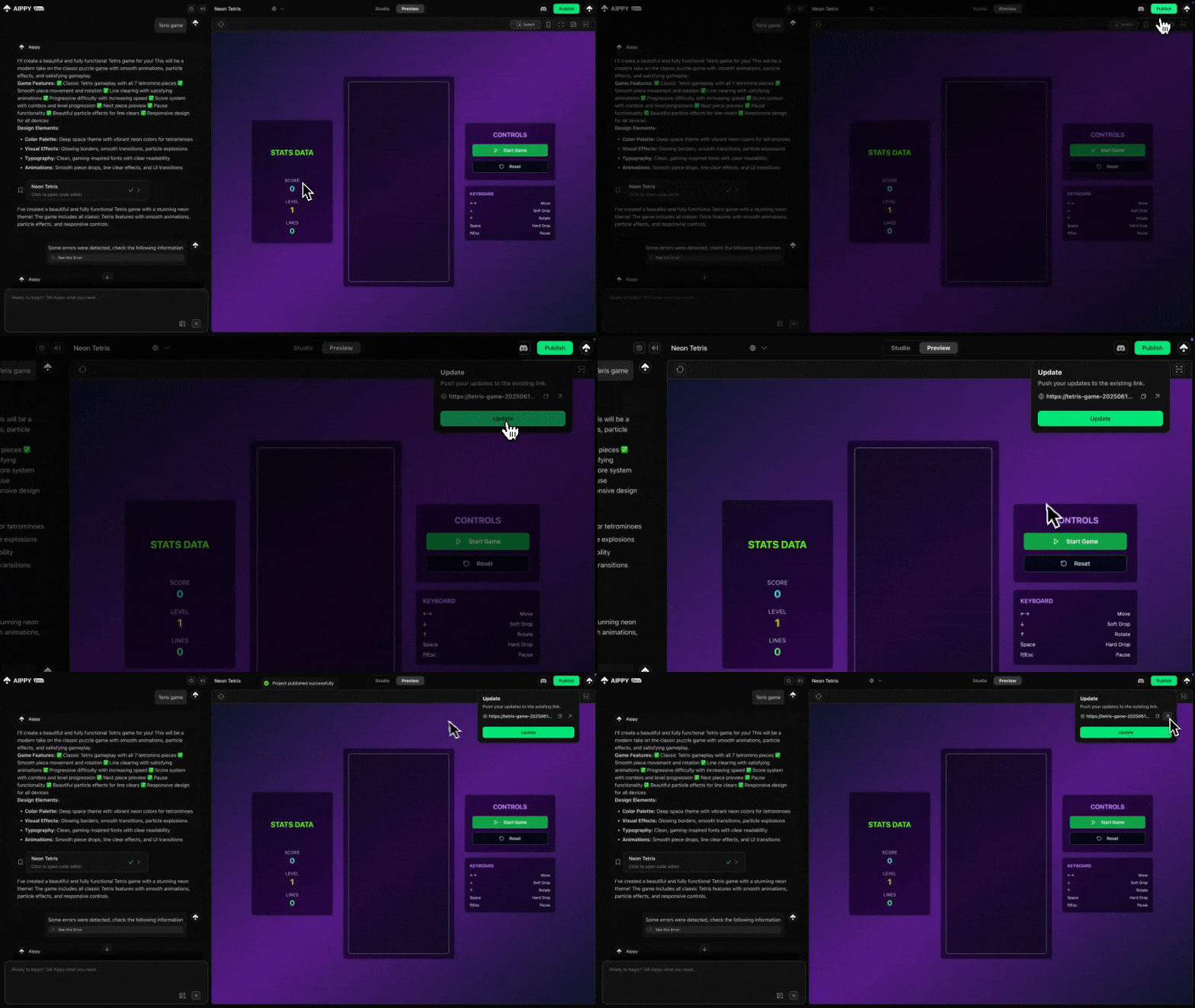 Want your own branded link? Connect a custom domain to make your Aippy site feel truly yours.\
Domain setup is guided and beginner-friendly.
## Go further
Explore how to scale your app with more logic and integrations.
Add backend logic, APIs, and data persistence.
Edit elements directly on the canvas — just click and type.
Add payments, and connect third-party tools.
Remix from curated showcases to jumpstart your next idea.
Want your own branded link? Connect a custom domain to make your Aippy site feel truly yours.\
Domain setup is guided and beginner-friendly.
## Go further
Explore how to scale your app with more logic and integrations.
Add backend logic, APIs, and data persistence.
Edit elements directly on the canvas — just click and type.
Add payments, and connect third-party tools.
Remix from curated showcases to jumpstart your next idea.